Update Your Contact Details
Change your account email and contact information.
——— ••• ———
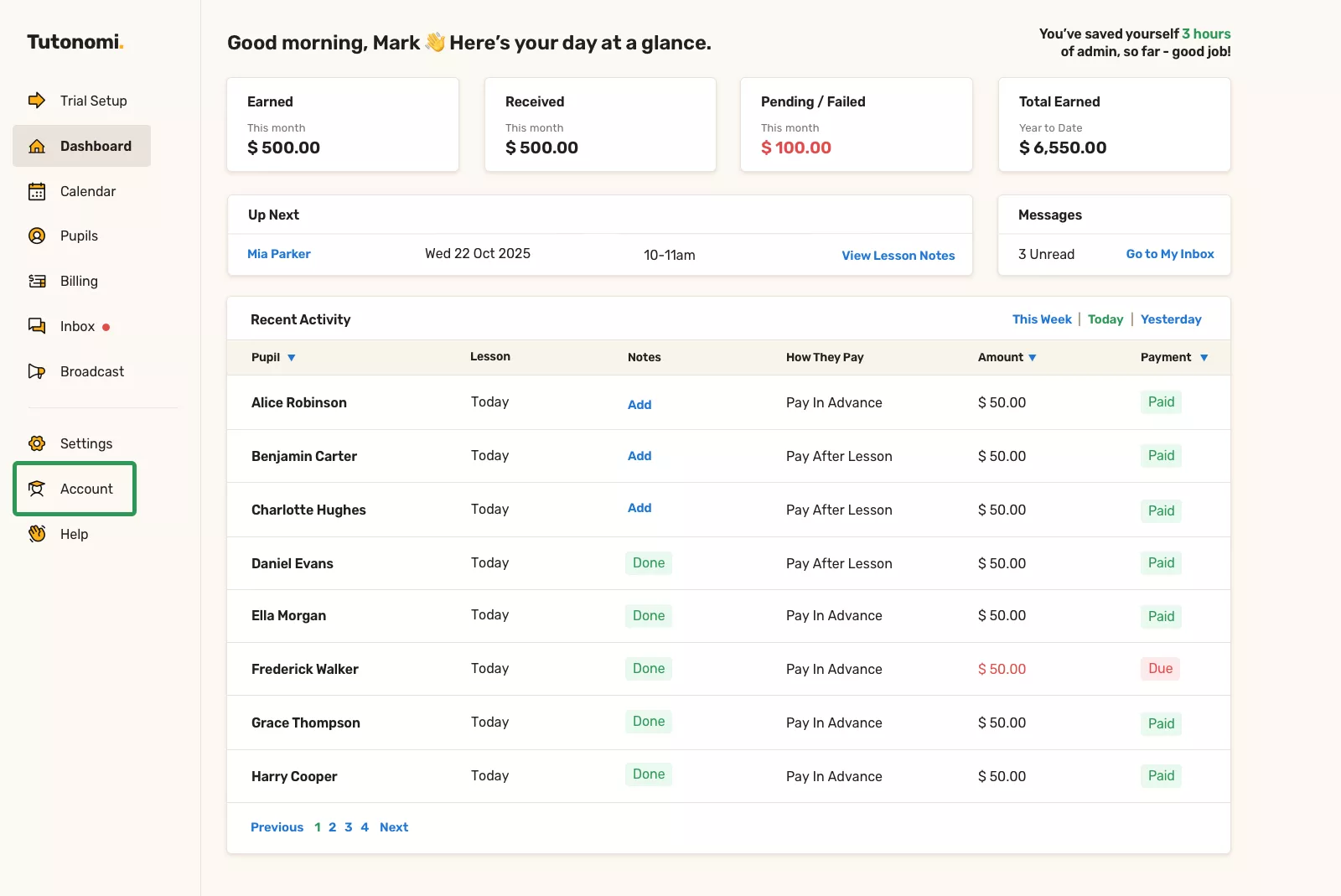
Step 1: Open your account page
From the left-hand menu, click Account.
This opens your account overview and personal details.
Step 2: Update your contact details
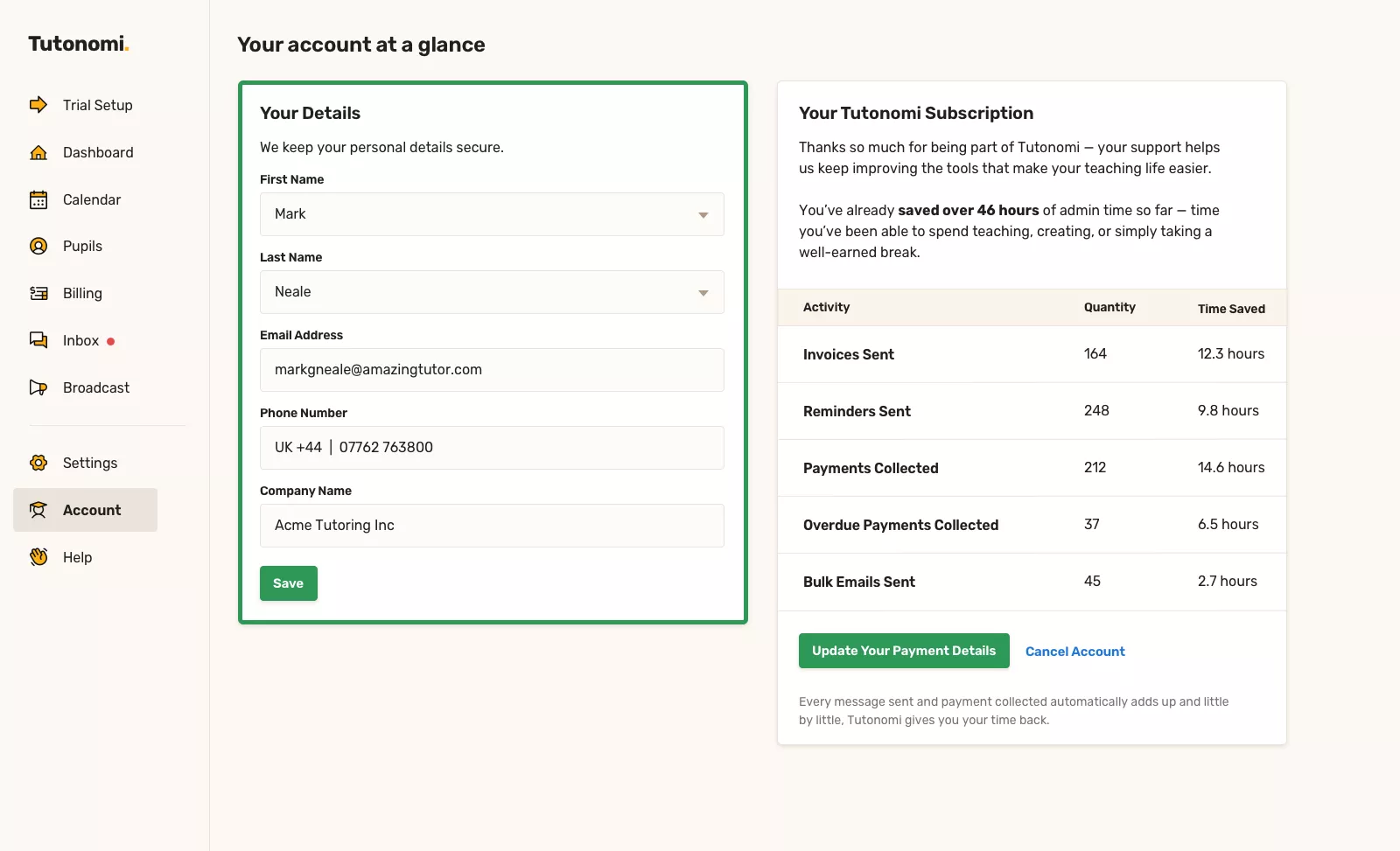
In the Your Details section, edit any of the following:
First name
Last name
Email address
Phone number
Company name
Make the changes directly in the fields.
Step 3: Save your changes
Click Save to update your details.
Your changes take effect immediately.
Good to know
Your contact details are kept secure
You can update your details at any time
These details are used for account-related communication only
Need a hand? 👋
If this hasn’t fully answered your question, we’re always here to help!
Send us a message and we’ll get back to you quickly — usually within an hour (9am-6pm UTC).
I simply love it
Saves me 5 hours a week
It's free!
I have more family time now
My schedule is crystal clear
I spend more time earning (or relaxing!)
Now I get paid on time, every time
I highly recommend this app!