Add a Private Note to a Pupil
Keep internal notes that are visible only to you.
——— ••• ———
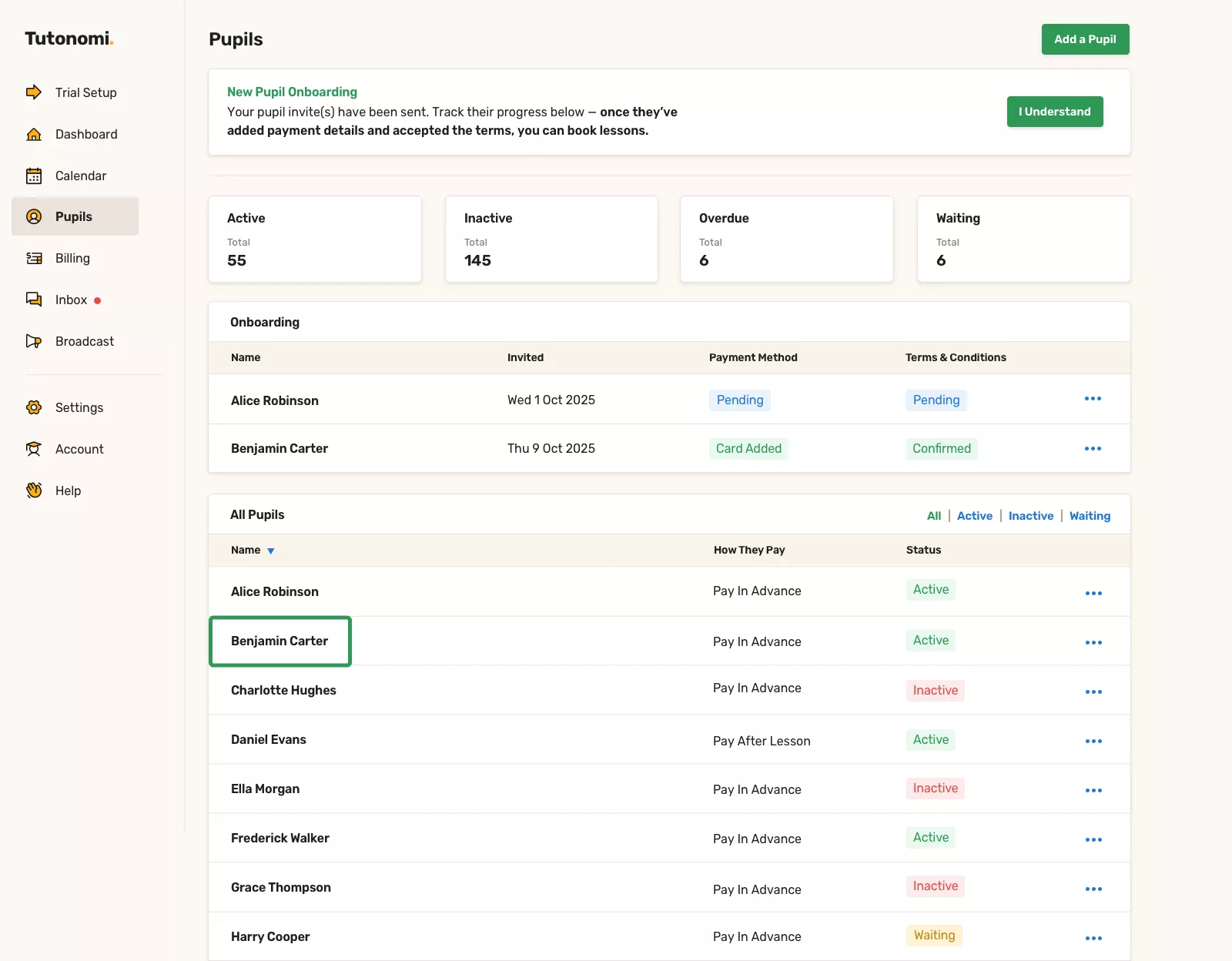
Step 1: Open the pupil’s profile
From the left-hand menu, click Pupils.
Select the pupil you want to add a note to.
Step 2: Write your private note
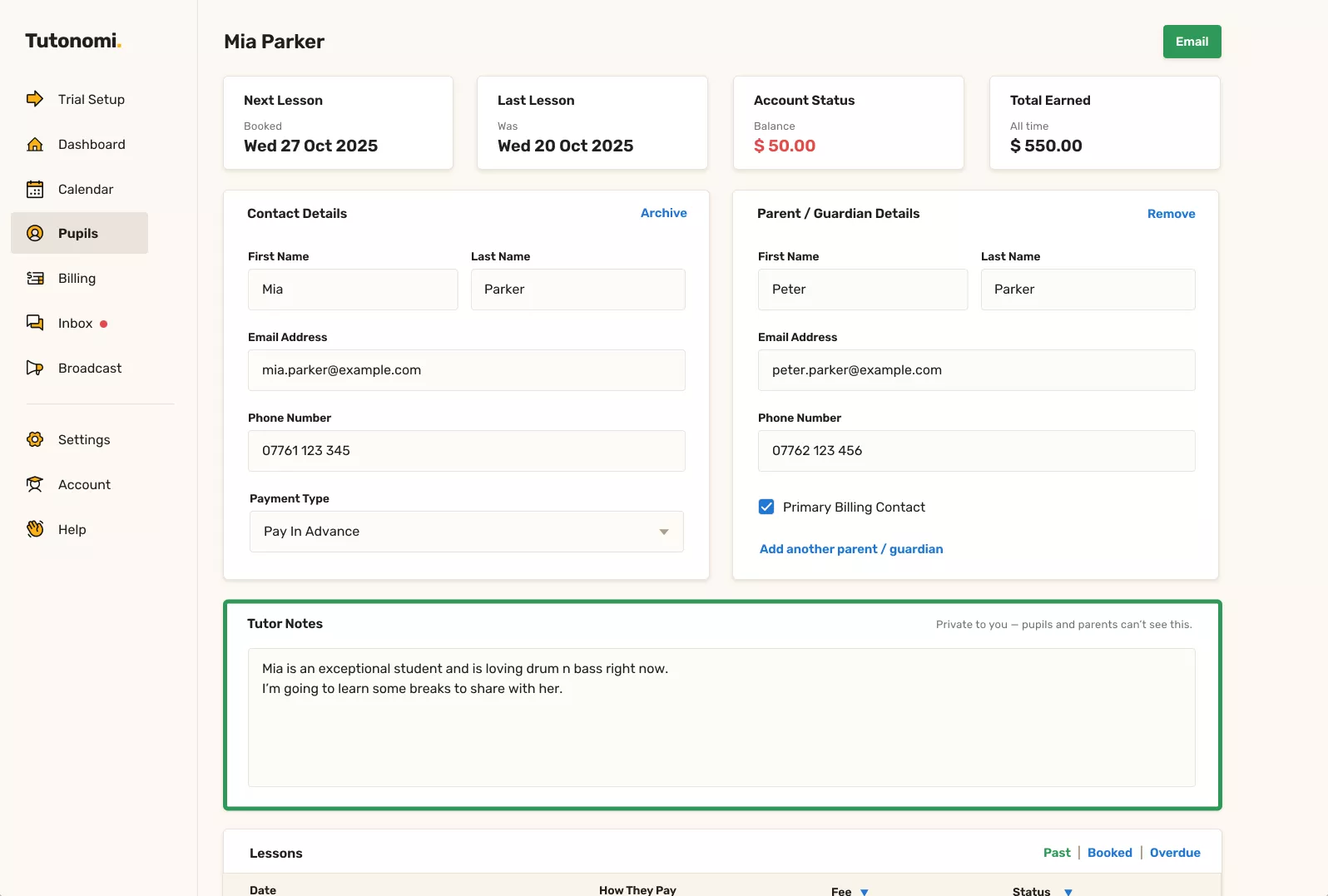
Scroll down to the Tutor notes section.
Add anything you’d like to remember about the pupil — progress, goals, ideas for future lessons, or personal context.
Step 3: Save automatically
Your note is saved automatically as you type.
There’s no need to click a save button.
Good to know
Tutor notes are private to you
Pupils and parents can’t see these notes
You can edit or update notes at any time
Need a hand? 👋
If this hasn’t fully answered your question, we’re always here to help!
Send us a message and we’ll get back to you quickly — usually within an hour (9am-6pm UTC).
I simply love it
Saves me 5 hours a week
It's free!
I have more family time now
My schedule is crystal clear
I spend more time earning (or relaxing!)
Now I get paid on time, every time
I highly recommend this app!